Personalised skincare guidance
Stop guessing. Get skincare chosen for you.
Takes a few minutes. Your photos stay private to your account, and you can delete them at any time.
AI-powered cosmetic guidance.

How it works
The short version.
Step 1: Three photos
Straight on, then turned slightly each way. Private to your account.
Step 2: A few questions
What you’d like to work on, what you’d rather avoid, and what you want to spend. You answer while your photos are being read.
Step 3: Your routine
A plain-language read of your skin, then a morning and evening routine with products chosen to fit you.
Step 4: Your meals
If you want it, a batch-cook meal plan that favours nutrients linked to what your read found, built around the food you like.
Real screens from the app
See what you get
Your report, your routine, your progress and, if you want it, your meals. Swipe across.
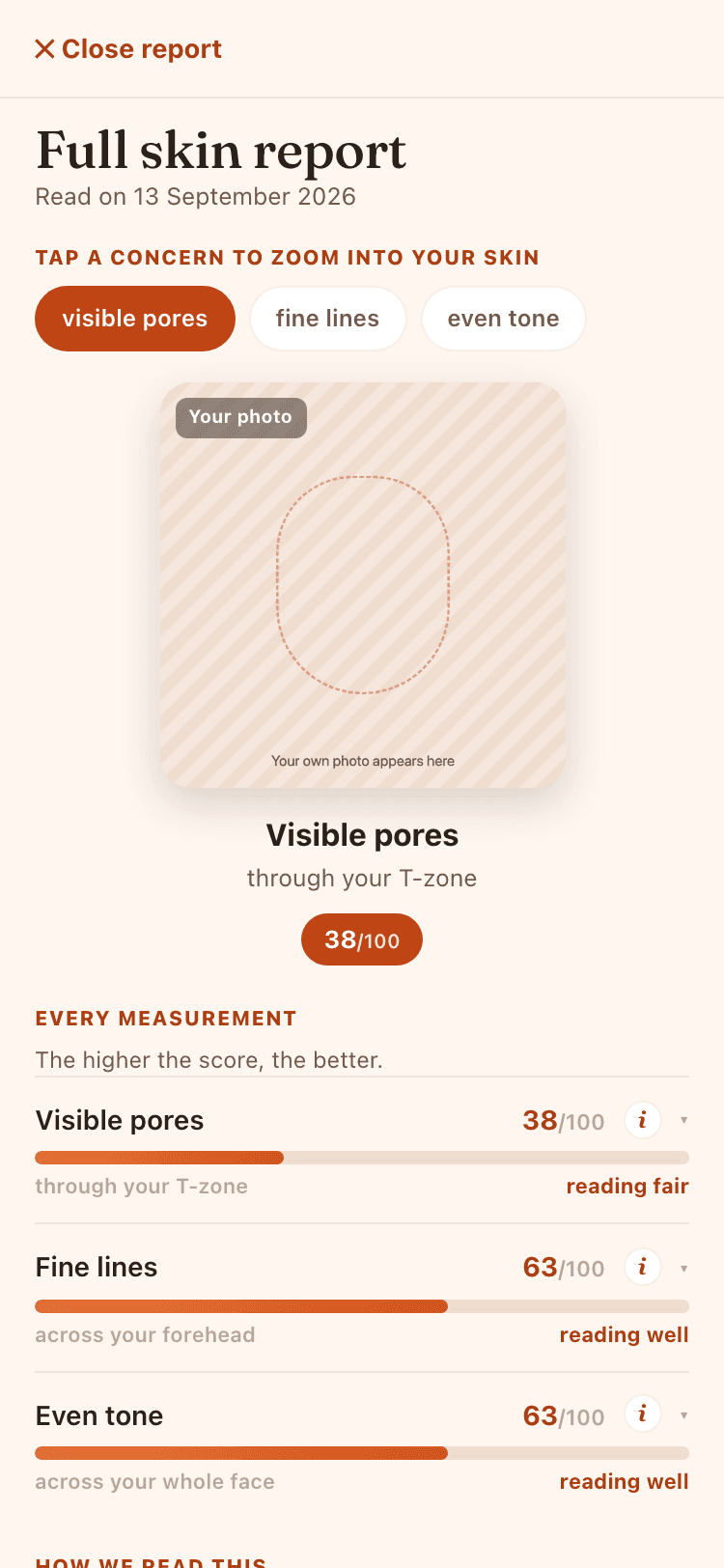
Your skin reportEight concerns, each scored 0 to 100. Tap one to zoom into your own photo. 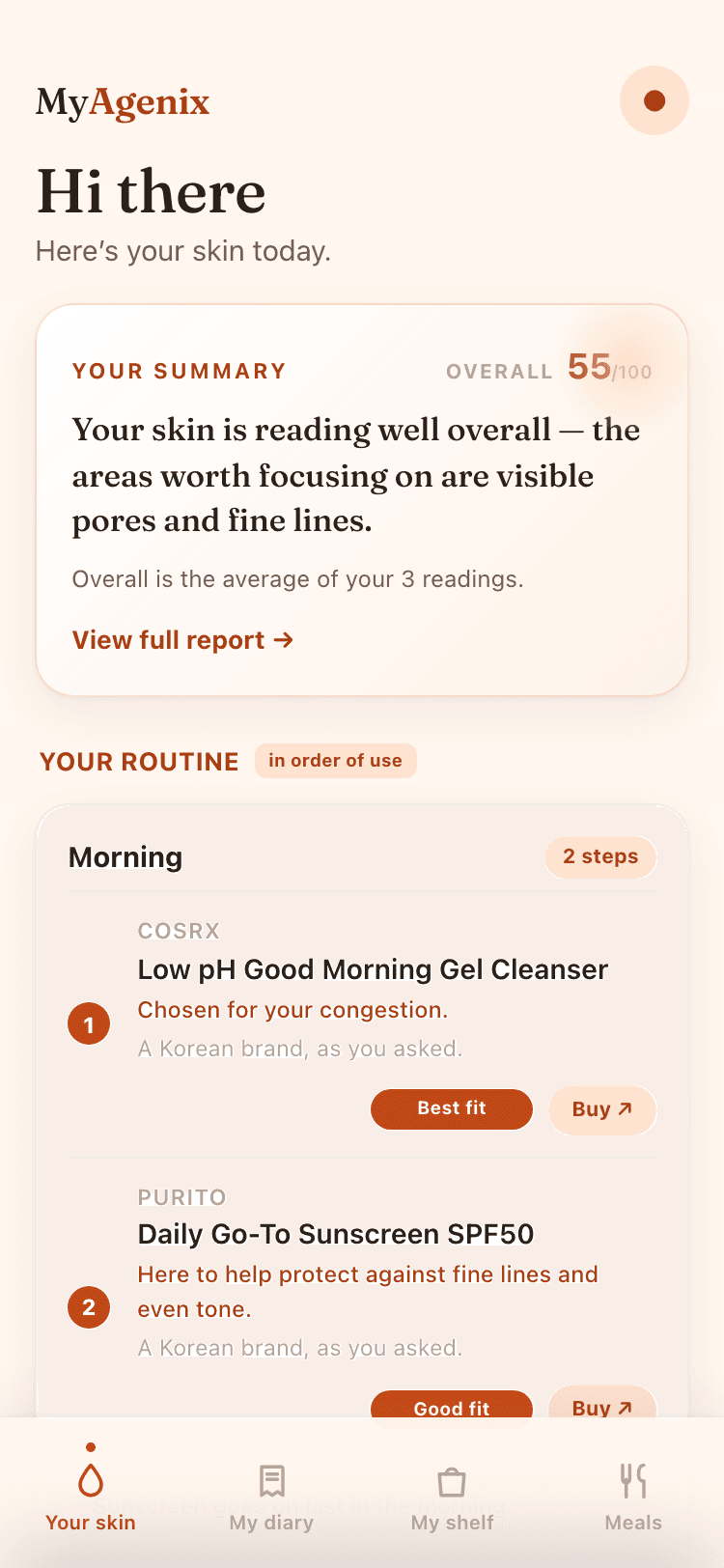
Your routineMorning and evening, in the order to use them, with the reason for each pick. 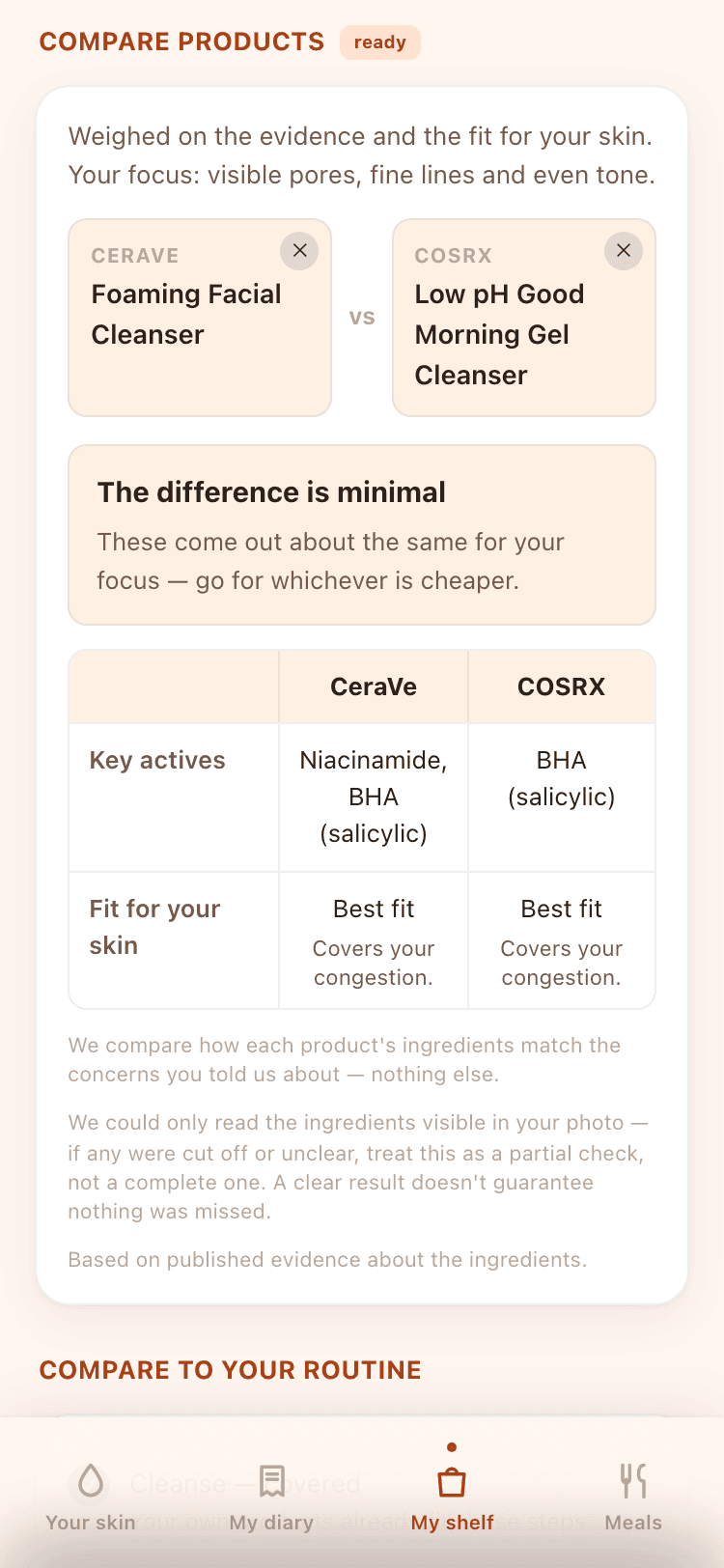
Compare two productsWeighed on the evidence and the fit for your skin, not the marketing. 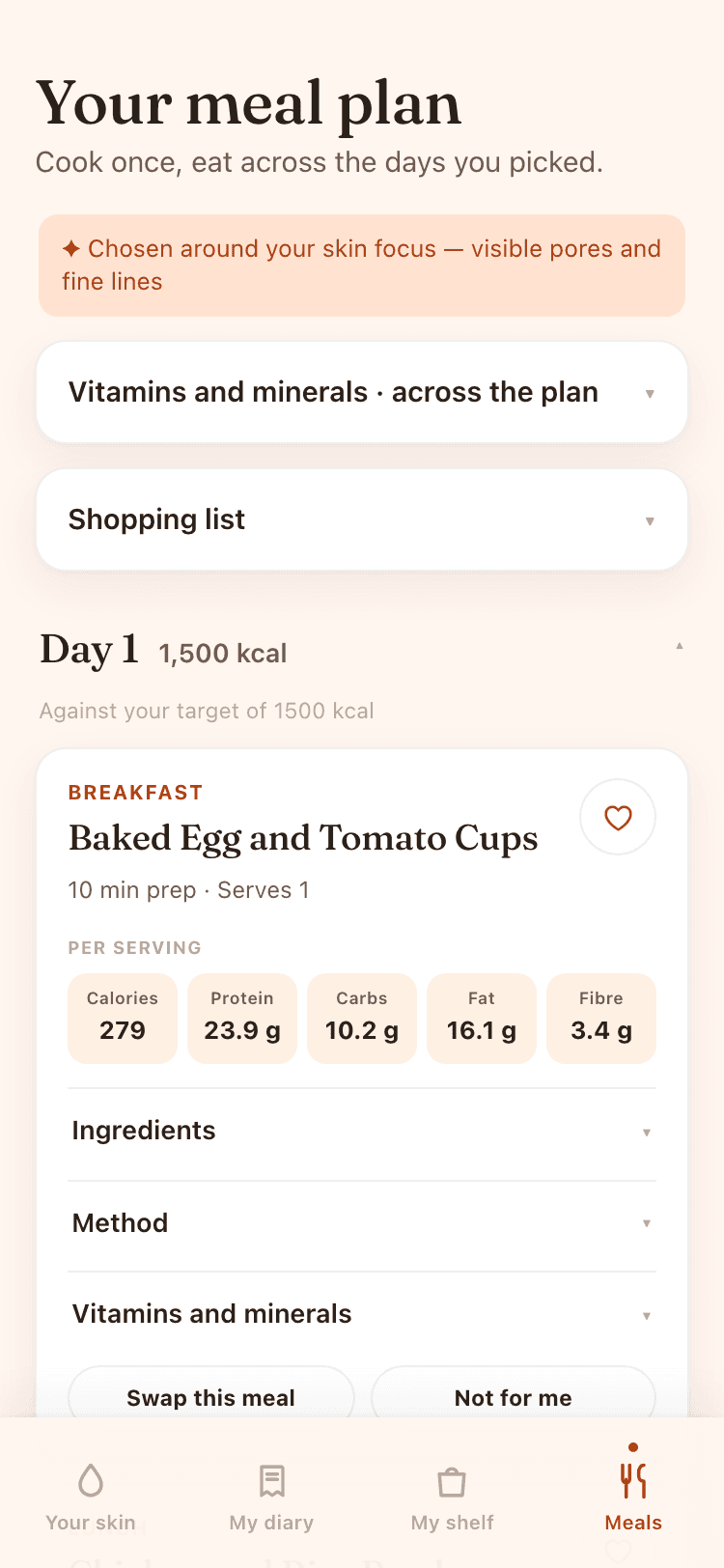
Meals, if you want themA batch-cook plan built around the food you like and your skin focus.
Take MyAgenix with you
MyAgenix runs in your browser. Add it to your home screen and it opens like an app, with its own icon. Three taps, about ten seconds, no app store.
iPhone or iPad
In Safari
- Tap the Share button at the bottom of Safari.
- Scroll down and choose “Add to Home Screen”.
- Tap “Add”.
Android
In Chrome
- Tap the ⋮ menu at the top right of Chrome.
- Choose “Add to Home screen”.
- Tap “Install”.
Why we built it
“I got tired of standing in the skincare aisle holding two bottles I couldn’t choose between, reading claims I couldn’t check, and spending money on products that didn’t suit me. MyAgenix is the tool I wish I’d had. Honest, evidence-led guidance that tells you what actually fits your skin and your budget, and nothing more.”
Maz, founder of MyAgenix
How MyAgenix works with your data
How MyAgenix works with your data. MyAgenix offers cosmetic guidance to help you choose products. It is not a medical service and does not diagnose or treat any condition. Your data is stored securely in the EU, you stay in control, and you can delete it at any time.Your skin, sorted.
Three photos, a few questions, and a routine chosen for you. If you have a question before you start, get in touch.